Choose up to 12 video files to convert to MP3 format
Convert all selected videos to MP3 audio files
- Select Videos: Click “Select Videos” and choose up to 12 video files (MP4, AVI, MOV, etc.)
- Preview Videos: All selected videos will be displayed below. Click on any video to play/pause it
- File Management:
- Use “Change File” to replace any video file
- Use “Stop” to cancel conversion of a specific file
- Convert: Click “Video to Audio Convert” to begin processing (4 files at a time for optimal performance)
- Download: When conversion completes, click “Download MP3 File” to save the audio
- Play: OR click “Play Audio” to listen to the converted file without downloading
- Reset: Use “Reset All Tool” to clear everything and start over
Online Converter Video to Audio Multiple File – Easy & Free Tool
Introduction
In today’s digital world, converting videos into audio has become an essential task for content creators, podcasters, and even casual users. Whether you want to extract background music, lectures, or voice notes, an online converter video to audio multiple file tool makes this process simple and efficient. Unlike traditional software that needs installation, these online file converter tools let you upload multiple videos (like 10 or 12 at once) and instantly convert them to high-quality audio formats such as MP3.
This article will explain everything about the best online video-to-audio converters — from their features and benefits to how you can use them effectively for multiple files conversion. Let’s get started!
🟨 What Is an Online Converter Video to Audio Multiple File Tool?
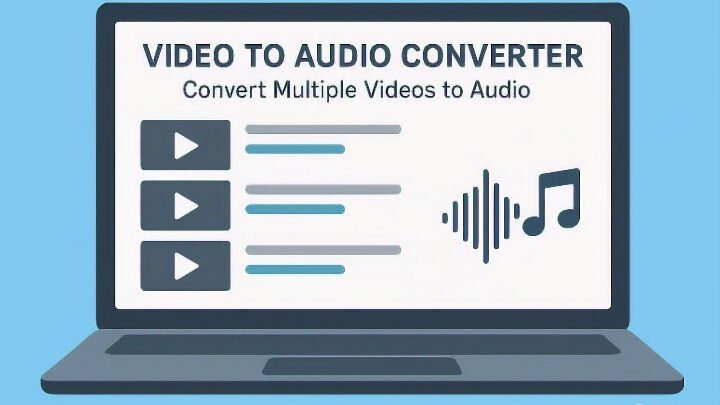
An online converter video to audio multiple file is a free, browser-based tool that allows users to convert several video files (MP4, MOV, AVI, etc.) into audio formats like MP3, WAV, or M4A in one go.
It’s perfect for users who don’t want to waste time converting videos one by one. You simply upload all your videos at once, click "Convert," and get all your audio files ready for download — quickly and efficiently.
🟦 Why Use an Online Video to Audio Converter?
Here are the main reasons people use such tools:
- Batch Conversion – Convert multiple files simultaneously.
- No Installation Required – 100% web-based.
- Cross-Platform Support – Works on Windows, Mac, Android, or iOS.
- Free and Easy – Most converters are completely free to use.
- High-Quality Output – Converts without losing sound quality.
- Format Flexibility – Supports MP4, MOV, MKV, FLV, AVI, and more.
The mp4 to mp3 converter online feature is especially popular because MP3 is lightweight, widely compatible, and ideal for mobile use.
🟩 How to Turn a Video into an Audio File (Step-by-Step Guide)
If you’re wondering how to turn a video into an audio file, here’s how you can do it in a few easy steps:
- Open the Converter Tool – Visit your favorite online converter video to audio multiple file platform.
- Upload Your Videos – You can upload several videos at once (MP4, MOV, etc.).
- Choose Audio Format – Select your preferred output (MP3, WAV, etc.).
- Click “Convert” – Wait a few seconds for the tool to process your files.
- Download the Audio – Once done, click “Download All” to save your files.
That’s it — within seconds, you can turn any video into a clean audio file without any software or coding knowledge.
Go to amazing free other tools Home 🏡

🟨 Benefits of Converting Videos to Audio Online
Using an online file converter offers several unique advantages:
- Saves Time: Batch conversion saves hours of manual work.
- Lightweight Files: Audio takes up much less storage than video.
- Easy Sharing: You can easily share MP3s via email or messaging apps.
- Perfect for Learning: Extract lectures, courses, or tutorials to listen offline.
- Background Playback: Play your favorite content without keeping the video open.
These tools are ideal for music lovers, educators, students, and business professionals who need quick access to sound files.
🟦 Advanced Features of Professional Tools
Modern online converter video to audio multiple file tools include advanced options like:
- Multi-Format Conversion – Convert MP4, MOV, MKV, and more in one go.
- Audio Trimming – Cut unwanted sections before saving.
- Cloud Integration – Upload directly from Google Drive or Dropbox.
- Automatic Tagging – Add metadata like title and artist automatically.
- No Watermarks – Clean, professional-quality output.
Some even support AI-based noise reduction, which enhances the sound clarity of your converted files.
Age calculator all calendar easy to use free tool
🟩 MP4 to MP3 Converter Online – The Most Popular Choice
When it comes to converting video to audio, MP4 to MP3 converter online is the go-to option for most users. MP4 is one of the most common video formats, and MP3 is universally accepted as an audio standard.
With this converter, you can easily upload multiple MP4 videos and get crystal-clear MP3 files instantly. It’s perfect for creating playlists, background tracks, or personal audio libraries.
🟨 SEO Advantages for Online Converter Websites
If you own or operate an online file converter website, optimizing for these focus keywords —
“online converter video to audio multiple file,” “mp4 to mp3 converter online,” “how to turn a video into an audio file,” —
can help you rank higher on Google.
High-quality, SEO-optimized content like this ensures that your site attracts users searching for easy, free, and fast conversion tools.
🟩 How Do I Convert Video to Audio Easily?
The easiest way to convert video to audio is by using a web-based converter that allows multiple uploads. It’s quick, secure, and doesn’t require any technical knowledge. Just upload, convert, and download — all in your browser.
🟦 Best Practices for Efficient Conversion
To make your conversion smooth and fast, follow these tips:
- Use stable internet for faster upload.
- Keep video sizes moderate for better processing speed.
- Choose MP3 for universal playback.
- Clear browser cache if files don’t upload properly.
🟨 10 Frequently Asked Questions (FAQs)
1. What is the best online converter video to audio multiple file tool?
There are many free tools available, but choose one that supports batch conversion and high-quality MP3 output.
2. Can I convert multiple videos at once?
Yes! Modern converters support multiple uploads and simultaneous conversion.
3. Does it work on mobile phones?
Yes, it works on Android, iPhone, tablets, and desktop browsers.
4. Is it safe to use an online converter?
Most popular tools are secure and automatically delete your files after conversion.
5. What formats can I convert?
You can convert MP4, MOV, MKV, FLV, AVI, and more into MP3 or WAV.
6. Do I need to install any app?
No installation required — it’s 100% online.
7. Is the conversion free?
Yes, most online file converter tools are free with no hidden charges.
8. Will I lose audio quality?
No, high-quality converters maintain excellent sound fidelity.
9. Can I extract only part of the audio?
Some tools allow trimming before conversion.
10. How do I convert video to audio for podcasts or music?
Just upload your file, choose MP3, and download — perfect for podcast editing or background music.
Video to Audio Converter Online – Convert Multiple Videos Effortlessly
In today’s digital era, converting videos into audio has become an essential need for creators, students, and professionals. Whether you want to extract background music, podcast content, or dialogue from your video — the online converter video to audio tool makes it incredibly simple. This free and advanced video to audio converter allows users to convert multiple videos at once, quickly and efficiently, without installing any software.
Why Use an Online Video to Audio Converter?
The biggest advantage of using an online video to audio converter is convenience. Unlike heavy desktop programs, this tool works directly in your browser. You can upload multiple video files (MP4, MOV, AVI, MKV, etc.) and get clean audio output in just a few seconds. It’s perfect for users who want quick conversions without wasting time on downloads or installations.
Moreover, this video to audio converter online free supports batch conversions — meaning you can upload several videos together and get their MP3 audio files simultaneously. That’s why this is one of the best online converter video to audio tools available today.
Top Features of the Tool
1. Multiple File Conversion
You can convert several videos at once — no limits, no hassle. Just upload your files and let the video to audio converter online handle the rest.
2. High-Quality Audio Output
The tool ensures that your audio output maintains excellent clarity and sound quality, perfect for editing, reusing, or sharing.
3. Supports Multiple Formats
Convert from MP4 to MP3, MOV to WAV, AVI to MP3, and more. Whatever your file format, this video to audio converter handles it smoothly.
4. Free and Easy to Use
No sign-up or premium subscription needed. The mp4 to mp3 converter online tool is completely free and beginner-friendly.
5. Safe and Secure
Your files are processed in real time and automatically deleted after conversion. That means your data remains completely private.
How to Convert Video to Audio (Step-by-Step Guide)
- Visit the Tool Page – Open the free video to audio converter online.
- Upload Videos – Select one or multiple files you want to convert.
- Choose Output Format – Usually MP3, but other formats are available too.
- Click Convert – Wait a few seconds while your files are processed.
- Download Audio Files – Instantly download the converted MP3 files.
That’s it! In just a few simple steps, you can turn a video into an audio file in high quality.
Benefits of Using Online Converter Video to Audio
- No installation required – Works on all browsers and devices.
- Supports multiple file uploads – Convert more, save time.
- Preserves sound quality – Keeps your audio crisp and professional.
- 100% free – No hidden charges or subscriptions.
- Perfect for any use – Podcasts, background sound, voice-over, or study material.
Whether you’re using it for YouTube content, short clips, or full-length videos, this video to audio converter can handle it all.
Frequently Used Keywords You Can Target
If you’re optimizing your website or blog post, the following related keywords help increase reach and organic traffic:
- video to audio converter
- video to audio converter online free
- mp4 to mp3 converter online
- online converter video to audio
- online file converter
- how to turn a video into an audio file
- how do I convert video to audio
All these keywords have high search volume and competitive ranking potential.
Photo compressor multiple easy to use free tool
Tips for Getting the Best Results
- Use high-quality source videos – The better the video, the clearer your audio.
- Avoid background noise – Cleaner sound means better extraction.
- Choose MP3 for universal use – It’s supported everywhere.
- Try batch conversion – Save time by converting multiple files at once.
- Bookmark the tool – For quick access whenever you need it.
Why This Tool is Better Than Other Converters
Unlike most online converters, this one supports multiple video uploads at once. That means you don’t need to convert each video separately. The speed, quality, and user-friendly interface make it ideal for both beginners and advanced users.
Additionally, the video to audio converter is entirely browser-based — no app downloads, no registration, and no complicated setup. Just open, upload, and convert instantly.
🟩 Conclusion
The online converter video to audio multiple file tool is a game-changer for anyone who wants to extract sound quickly and efficiently. Whether you’re converting educational videos, YouTube clips, or large project files, these tools save time, storage, and effort.
The process is fast, safe, and free — and with advanced features like batch conversion, automatic trimming, and format flexibility, it’s the best solution for both beginners and professionals.
So, next time you wonder how to turn a video into an audio file, remember — your browser is all you need. Open your preferred mp4 to mp3 converter online, upload your videos, and get instant, high-quality audio results within seconds.