Personal Health Tracker
Track your weight, exercise, and daily health metrics easily!
Welcome to Your Health Dashboard
Here you can view your progress summary once you start logging your weight, exercise, and health metrics.
Weight Tracking
Exercise Log
Daily Health Metrics
How to Use — Personal Health Tracker
This simple guide helps you understand how to use this tool and how to embed it in WordPress if needed.
📋 Basic Usage (in any browser)
- Open the tool: Open this HTML file in Chrome, Firefox, or Edge.
- Tabs: Use the top tabs (Dashboard, Weight, Exercise, Health) to switch sections.
- Add entries: Select a tab, fill in the required information, and click the Save button.
- View entries: After saving, your history will appear below in the same section.
- Data storage: All entries are saved in your browser using
localStorage. They remain until manually cleared or deleted.
🧩 WordPress Integration
You can easily embed this tracker on a WordPress site using one of the methods below:
Option 1 — Using a Custom HTML Block
- Edit or create a page in WordPress.
- Add a “Custom HTML” block.
- Paste the entire content of this HTML file inside it.
- Click Preview to check the layout.
Option 2 — Using an Iframe (Recommended)
- Upload this file to your hosting (e.g.,
https://yourdomain.com/health-tracker.html). - In WordPress, add a “Custom HTML” block and insert this iframe code:
<iframe src="https://yourdomain.com/health-tracker.html" style="width:100%;height:900px;border:0;"></iframe>
⚙️ Tips & Notes
- Each section auto-saves entries in your browser storage.
- If you clear browser data, your records will also be removed.
- This tool works offline — no internet connection required.
- Compatible with all major browsers and mobile devices.
Need a WordPress-optimized version or data-sync feature? I can help customize it further.
Simple Health Tracker Web App
In today’s fast-paced world, staying healthy isn’t just about eating right or exercising occasionally — it’s about monitoring your progress and staying consistent. A Simple Health Tracker Web App offers exactly that — an easy, browser-based way to track your weight, exercise, and essential health metrics from anywhere, anytime.
Unlike complicated fitness apps that require sign-ups, downloads, or subscriptions, this online health tracker is designed for simplicity and privacy. It works directly in your browser, saves your data locally (no cloud storage involved), and helps you stay on top of your personal health journey — without compromising privacy.
Whether you’re a health-conscious individual, a busy parent, or someone starting a fitness routine, this simple yet powerful web-based health monitoring tool helps you keep track of your progress effortlessly.
Key Features of the Simple Health Tracker Web App
The Simple Health Tracker Web App is built with user-friendliness and functionality in mind. Here are its standout features:
1. Weight Tracking
Keep an eye on your weight changes with easy data entry fields for:
- Date
- Current weight
- Goal weight
This feature helps you set realistic goals and monitor your progress over time.
2. Exercise Log
Track your daily physical activities by logging:
- Exercise type (e.g., running, yoga, cycling)
- Duration or number of minutes
- Notes about your performance or energy level
It’s a great way to stay accountable and maintain a consistent fitness routine.
3. Health Metrics Monitoring
Record key health data such as:
- Blood pressure readings
- Heart rate (pulse)
- Sleep hours or hydration levels
Tracking these values regularly gives you insights into your overall well-being.
4. Dashboard Overview
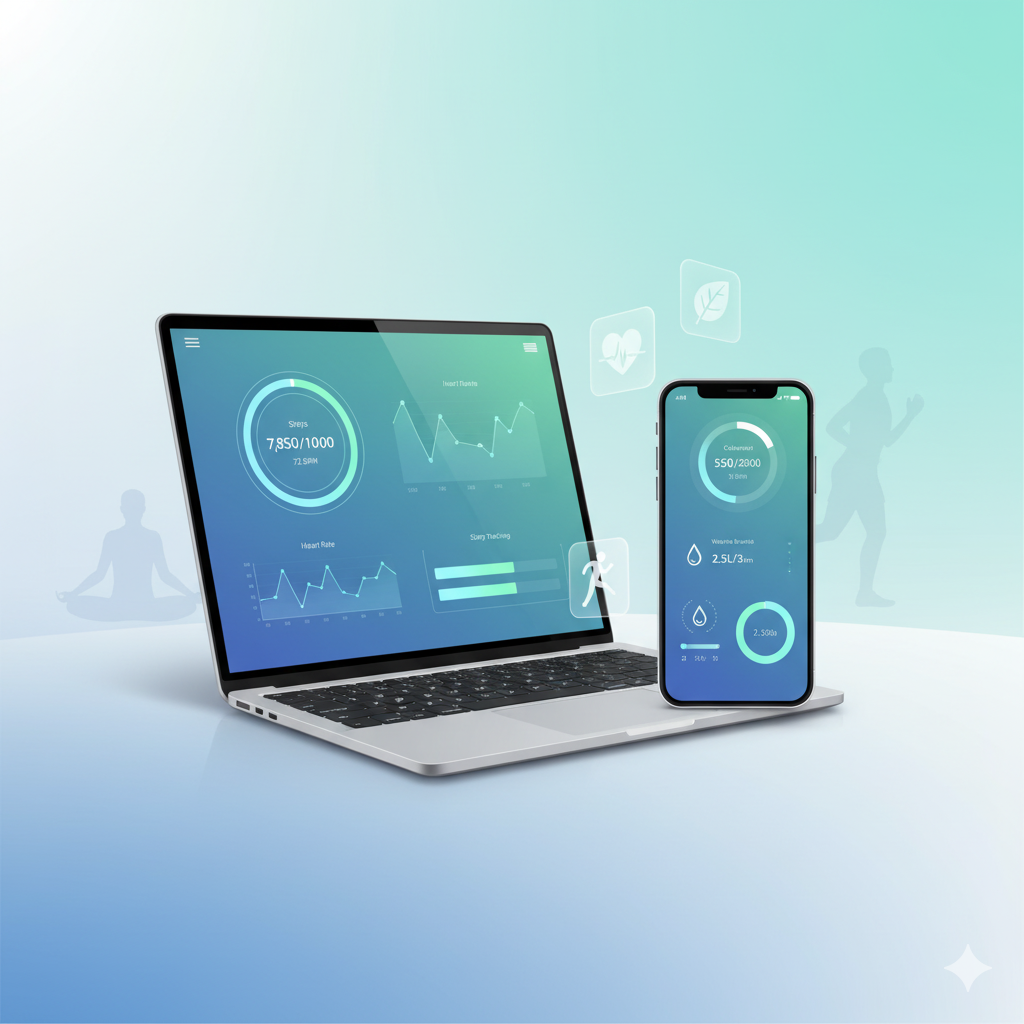
All your data appears in a simple dashboard that summarizes your progress — making it easy to view weight trends, activity frequency, and health changes over time.
5. Built-In BMI Calculator
The app automatically calculates your Body Mass Index (BMI) when you input your weight and height, giving you instant feedback on whether you’re underweight, healthy, overweight, or obese.
6. Local Data Storage
Your data is securely saved in your browser’s local storage — not on a server. This means:
- No registration required
- 100% privacy
- You control your data completely
7. Works Offline and Across Devices
You can use the Simple Health Tracker Web App on mobile, tablet, or computer — even without an internet connection once it’s loaded. It’s truly portable and accessible anywhere.
How to Use the Simple Health Tracker Web App
Using the Simple Health Tracker Web App is as easy as opening a webpage. Here’s a quick guide to help you get started:
Step 1: Open the Web App
Simply visit the app’s website in your browser — no download or sign-up required.
Step 2: Navigate Between Sections
The app includes tabs or sections such as Weight Tracker, Exercise Log, and Health Metrics. Click on each section to input your data.
Step 3: Add New Entries
For example:
- In the Weight Tracker, enter today’s date, your current weight, and your target goal.
- In the Exercise Log, input the activity name, duration, and comments.
- In the Health Metrics, record your latest heart rate or blood pressure.
Step 4: View Your Progress
Your dashboard will show charts or summaries that visualize your progress. You can easily spot trends or improvements over time.
Multiple Image Compressor Without Losing HD Quality
Step 5: Manage or Delete Data
Need to clear older entries? Use the delete button beside each record. Remember, since data is stored locally, clearing your browser cache will erase all logs.
This web-based health tracker offers a smooth, private experience where your information stays securely within your device.
Benefits of Using an Online Health Tracker
The Simple Health Tracker Web App brings numerous advantages to your daily wellness routine:
- Convenience and Accessibility: Use it from any browser, on any device, anytime.
- No Downloads or Installations: Start tracking instantly without worrying about storage space.
- Improves Consistency: Logging daily helps you stay disciplined with fitness goals.
- Promotes Family Health: Families can use the same tool to build healthy habits together.
- Identifies Long-Term Trends: Tracking metrics helps you see how lifestyle changes affect your body.
In short, this online health tracker simplifies self-care and motivates you to live a healthier, more balanced life.
Why Choose a Web-Based Health Tracker Instead of Mobile Apps
While mobile fitness apps are popular, a web-based health tracker offers distinct advantages that appeal to many users:
1. Total Privacy
All information stays within your browser. No cloud syncing, no account creation, and no third-party data access.
2. Simplicity
It’s lightweight, fast, and doesn’t require installation — perfect for beginners and non-technical users.
3. Cross-Device Usage
Open it on your smartphone, tablet, or desktop browser — your data remains accessible locally on each device.
4. No Sign-Up or Ads
Enjoy a clutter-free experience with zero distractions, pop-ups, or marketing emails.
5. Ideal for Schools, Families, and Offices
Organizations can use it as a shared wellness tool without managing user accounts or data privacy concerns.
If you value ease of use, security, and accessibility, the Simple Health Tracker Web App is the perfect alternative to traditional fitness apps.
Integration with WordPress or Websites
Want to share this tracker with your readers or clients? It’s easy to embed the Simple Health Tracker Web App into any website or blog.
Option 1: Using a Custom HTML Block
- Copy the provided HTML embed code.
- Open your WordPress editor.
- Add a Custom HTML block and paste the code.
- Update or publish your page.
Option 2: Embedding via iframe
You can also embed it using a simple iframe tag:
<iframe src="https://yourhealthtrackerlink.com" width="100%" height="600"></iframe>
This makes it a perfect addition for:
- Health bloggers who want to offer readers an interactive tool.
- Personal trainers helping clients monitor their progress.
- Schools or offices promoting employee wellness programs.
Embedding the tracker transforms your site into a practical, health-friendly platform that adds real value to your audience.
Advanced Tips for Getting the Most Out of the Tracker
To maximize your results and make your tracking experience even better, follow these advanced tips:
- Update Data Regularly: Log your weight and workouts at least once a week.
- Set Realistic Goals: Avoid setting extreme weight or fitness targets — slow, steady progress is key.
- Analyze Weekly Trends: Use your dashboard summaries to identify when you’re most active or consistent.
- Pair with a Healthy Diet: Combine tracking with balanced meals and adequate hydration.
- Maintain Sleep Routines: Good sleep improves fitness results and recovery.
- Be Mindful of Device Usage: Remember that local data doesn’t sync across browsers — use one main device for accuracy.
Consistency is more important than perfection — tracking daily or weekly helps you stay motivated and focused.
Common Mistakes to Avoid
Even with the simplest health tracker, users can make a few common errors. Avoid these to ensure your data stays accurate and safe:
- Forgetting to Save Entries: Always click Save or Add before closing the browser tab.
- Clearing Browser Data: Since the app uses local storage, deleting cookies or clearing cache will erase your history.
- Using Multiple Browsers: Each browser stores its own data; use one consistently to avoid losing progress.
- Entering Inconsistent Units: Stick to the same weight (kg/lbs) or distance (km/miles) units.
- Skipping Updates: Regular tracking ensures the best insights — don’t wait weeks to log your data.
By avoiding these small mistakes, you’ll make the most of your Simple Health Tracker Web App experience.
Frequently Asked Questions (FAQs)
Q1: Is my data stored online or locally?
Your data is stored locally in your browser using local storage. No information is sent or saved online.
Q2: Can I use this tool offline?
Yes! Once loaded in your browser, it works perfectly offline — ideal for areas with limited internet access.
Q3: Do I need to sign up or create an account?
No registration or login is required. Just open the web app and start tracking instantly.
Q4: Is this tracker suitable for family use?
Absolutely. Each family member can use the same browser (with different tabs) or their own device to log personal data privately.
Q5: Can I embed this tracker on my WordPress site?
Yes. You can easily embed it using a custom HTML block or an iframe, making it a great addition to health blogs or fitness pages.

Conclusion
In an age where technology touches every aspect of our lives, using a Simple Health Tracker Web App is one of the smartest ways to take control of your personal health.
It empowers you to monitor weight, track exercise, record vital signs, and view your overall progress — all from one secure, browser-based platform. With no downloads, no accounts, and full privacy, it’s perfect for anyone who wants a simple, reliable way to manage wellness goals.
Start using the Simple Health Tracker Web App today and turn small daily actions into lasting healthy habits.
Your journey toward better health begins with a single click — track, improve, and live well!