⏳ Realistic Sand Countdown
Countdown Show Practical Timer ⏳ Easy To Use Free Tool
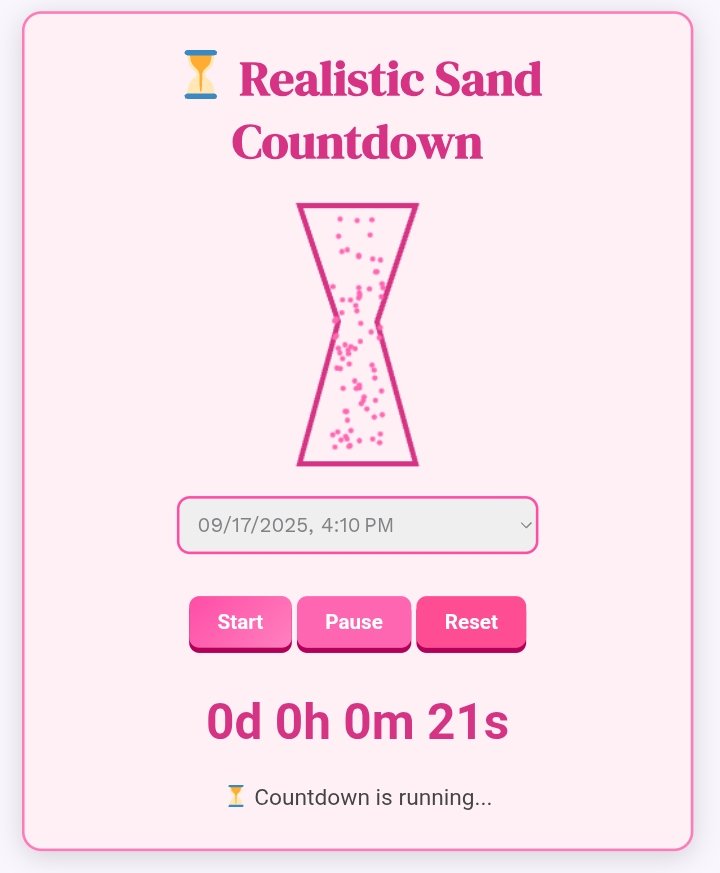
In today’s fast-paced digital world, time management has become one of the most crucial skills. Whether you’re studying, working, cooking, or exercising, using an efficient Countdown Show Practical Timer can help you stay on track and complete tasks effectively. Our Easy To Use Free Tool is designed to provide a real-time countdown experience — just like watching sand fall in an hourglass. It’s practical, accurate, and visually engaging.
What Is a Countdown Show Practical Timer?
A Countdown Show Practical Timer is an online timer tool that visually shows time decreasing second by second — helping you stay focused on what really matters. It mimics a real-world countdown, just like an hourglass dropping sand particles. This practical countdown gives users a sense of progress and urgency, making it ideal for productivity, workouts, study sessions, and even cooking.
When you set a 5-minute timer or any custom duration, the countdown visually starts ticking down. This is not just a simple digital counter — it’s a live, animated timer that helps you see the passing time in action.
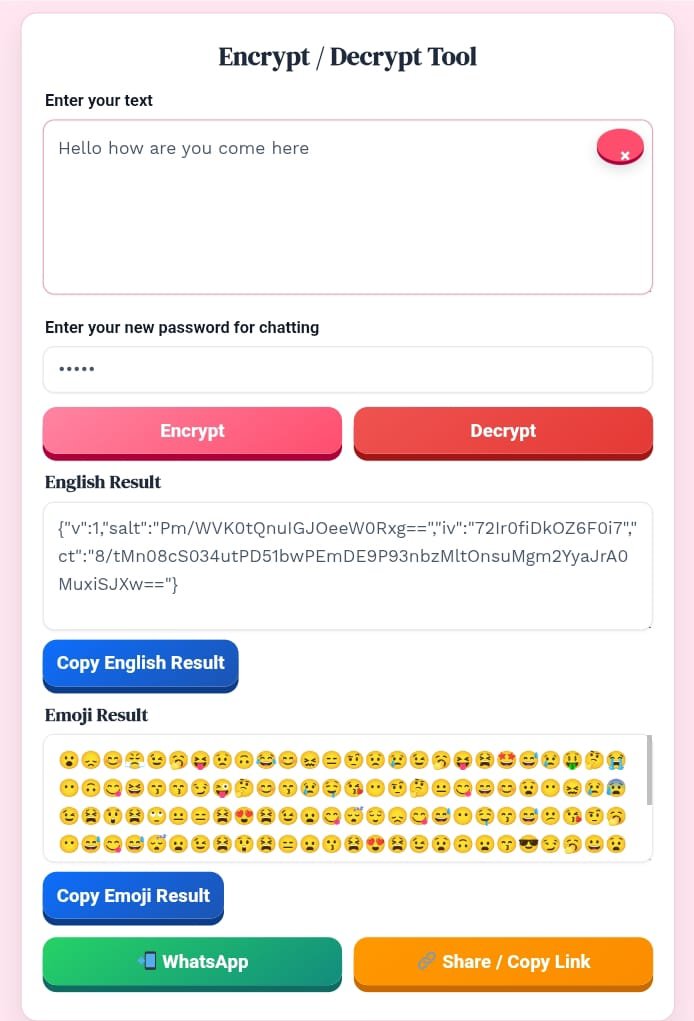
Text Encrypt Decrept Easy to use free tool your secure chat and privacy
Why Use an Online Countdown Timer?
Using a timer and countdown tool online has several benefits. Whether you’re managing your study sessions or timing a presentation, a Countdown Show Practical Timer helps in the following ways:
- ⏳ Keeps you focused: The visual countdown reminds you of the passing time, reducing distractions.
- ✅ Improves productivity: Setting a fixed time block makes tasks more manageable.
- 🧠 Enhances discipline: You develop a better sense of urgency and time control.
- 💻 No installation required: The Easy To Use Free Tool works directly in your browser.
- 🔔 Custom alerts: Receive a sound or visual notification when the countdown ends.
Key Features of Countdown Show Practical Timer
Here’s what makes this timer special compared to others:
1. Easy-to-Use Interface
No need for complicated setup. Just open the tool, set your timer for 5 minutes, and hit That’s it! The interface is simple and designed for everyone — from students to professionals.
2. Practical Countdown Animation
Unlike basic timers, our Countdown Show Practical Timer includes a visual animation that shows time passing — like a falling sand effect. It keeps the countdown engaging and realistic.
3. Fully Customizable
You can choose your preferred time duration, whether it’s a 5-minute timer for a quick task or a longer countdown for focused work sessions.
4. Works on All Devices
This Easy To Use Free Tool is 100% responsive — it works perfectly on desktops, tablets, and mobile phones.
5. Alerts and Sound Notifications
Once the countdown ends, you’ll receive a sound alert or visual pop-up notification so you never miss the end of your timer.
How to Use the Countdown Show Practical Timer
Follow these simple steps to use the tool effectively:
- Open the tool in your browser.
- Set the desired time — for example, a timer for 5 minutes.
- Press Start to begin the countdown.
- Watch the animation as time visually runs out.
- Receive an alert once the countdown completes.
It’s that simple! You don’t need any registration or app installation — everything works online.
Why Choose Our Easy To Use Free Tool?
Many online timers exist, but our Countdown Show Practical Timer stands out because of its practical design, smooth performance, and realistic countdown experience. Whether you need a 5-minute timer for a coffee break or a longer countdown for work, our tool ensures precision and simplicity.
This tool has been built for real users who need a reliable way to manage time effectively. No ads, no popups — just a clean and smooth countdown experience.
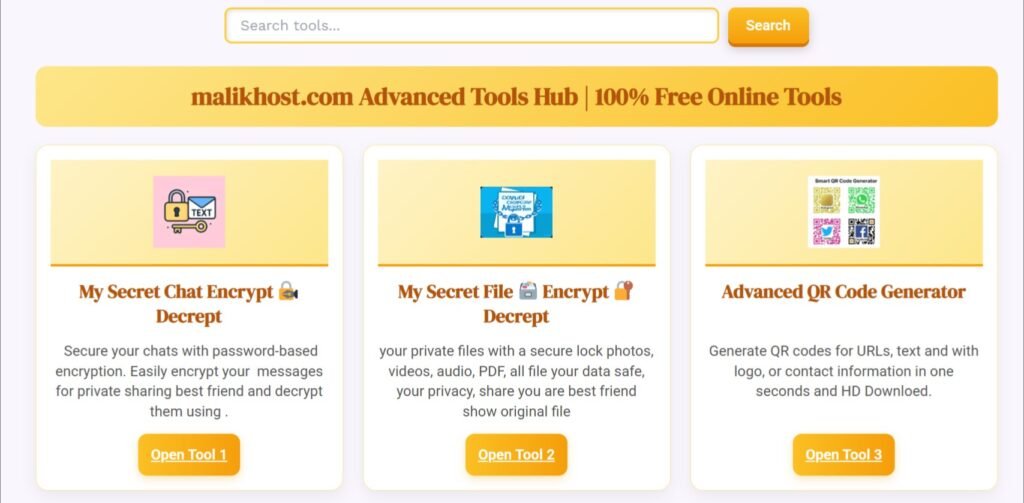
Try to other website
Use Cases for Countdown Show Practical Timer
Let’s explore where this Easy To Use Free Tool can be most effective:
🧘 1. Study Sessions
Students can set a timer for 5 minutes or longer study intervals to maintain focus and take regular breaks.
💪 2. Workouts
Trainers and fitness enthusiasts can use this timer for exercise intervals, yoga poses, or rest periods.
🍳 3. Cooking and Baking
In the kitchen, timing is everything. Use a 5-minute timer for precise cooking and baking control.
🗣️ 4. Presentations and Meetings
Professionals can keep track of presentation durations using the timer and countdown feature.
🧩 5. Meditation or Relaxation
For mindfulness sessions, set a countdown to help you relax without worrying about time.
SEO Benefits of Countdown Timer Tools
Adding a Countdown Show Practical Timer to your website not only improves user engagement but also boosts your SEO ranking. Google values interactive tools that offer real-time value to users.
By using relevant keywords like 5-minute timer, timer for 5 minutes, and timer and countdown, your page can achieve higher visibility and click-through rates.
Pro Tip: Add structured data and meta descriptions mentioning your keywords for even better performance in search results.
Best Practices for Using Timers Effectively
- Set clear goals before starting your countdown.
- Avoid distractions during your timer period.
- Take short breaks after each session.
- Track your results to improve your time management skills.
- Repeat consistently to build productive habits.
Go to amazing free other tools Home 🏡
10 Frequently Asked Questions (FAQs)
1. What is a Countdown Show Practical Timer?
It’s an online timer that shows a real-time countdown, helping users track time visually and practically.
2. Is this timer free to use?
Yes! Our Easy To Use Free Tool is 100% free for everyone.
3. Can I use it as a 5-minute timer?
Absolutely! Just set your timer for 5 minutes and start the countdown
4. Does the timer work offline?
Currently, it requires an internet connection, but it runs in any modern browser.
5. Can I use this timer for workouts?
Yes, it’s perfect for interval training, workouts, and meditation sessions.
6. Does it work on mobile phones?
Yes! The Countdown Show Practical Timer works on all devices mobile, tablet, or desktop.
7. Does it make a sound when time ends?
Yes, you’ll receive an alert or sound notification when your countdown is complete.
8. Can I customize the countdown duration?
Of course — you can choose any duration from seconds to hours.
9. Is my data stored?
No user data is stored; it’s a privacy-safe online tool.
10. Why should I choose this timer over others?
Because it’s simple, practical, and SEO-optimized — offering a realistic countdown experience like no other.
Countdown Show Practical Timer ⏳ Easy To Use Free Tool – The Most Advanced Countdown Timer Online
Managing time has never been easier, thanks to the rise of advanced online countdown tools. One of the most efficient and interactive options available today is the Countdown Show Practical Timer ⏳ Easy To Use Free Tool. It’s not just a typical countdown timer — it’s a smart, dynamic, and user-friendly online timer designed to help you stay focused and organized.
Whether you need a timer and countdown for study, exercise, meetings, or cooking, this tool provides an accurate and visual experience that makes every second count. Plus, when your countdown reaches zero, a clear bell sound rings, alerting you instantly — proving that this isn’t an ordinary timer, it’s an advanced countdown clock built for practical use.
What Makes This Countdown Timer Different?
Most countdown timers only display numbers decreasing on the screen, but the Countdown Show Practical Timer goes one step further. It provides a real-time animated countdown clock that visually represents the passage of time — much like an hourglass in motion.
This online countdown timer is more than just a digital stopwatch; it’s a complete experience. When you set your duration — say, a 5-minute timer — you see the countdown progressing with smooth transitions. As soon as the time runs out, the bell notification plays automatically, signaling that your set duration is over.
That smart alert system makes it an ideal countdown app for users who might be multitasking or working on something that requires full attention.
Key Features of the Countdown Show Practical Timer
1. Visual Countdown Clock
Unlike most static timers, this one features a visually engaging countdown animation. The clock countdown moves in real time, allowing users to see time passing naturally — perfect for tasks that require precise timing.
2. Automatic Bell Notification
When the timer reaches zero, a bell rings instantly. This ensures you never miss the end of your countdown, even if you’re not looking at the screen. The alert sound is clear, professional, and non-distracting — a feature that makes this one of the best countdown clock timers online.
3. Works Across All Devices
You can use the countdown timer online from your computer, tablet, or smartphone without installing any app. It’s fully responsive and designed for all platforms.
4. Custom Time Settings
You can create a countdown timer to date, a countdown timer for days, or a simple timer countdown clock for short tasks. The flexibility makes it an all-in-one countdown widget for every kind of user.
5. Free and Easy to Use
No downloads, no payments, and no ads — this is a free countdown timer online designed for simplicity. Just open it, set your preferred time, and start counting down.
Why You’ll Love This Online Countdown Tool
The Countdown Show Practical Timer stands out because it combines accuracy, design, and practicality in one seamless experience. It’s not just about measuring time — it’s about enhancing productivity.
Here’s why users love this timer countdown online:
- It’s lightweight and doesn’t require installation.
- The countdown clock is visually appealing and easy to track.
- The bell alert ensures you never lose track of time.
- You can use it as a countdown timer app or an online clock countdown depending on your needs.
- It’s completely free and ad-free.
Whether you need to track a presentation, cooking time, or a gym session, this countdown app timer ensures you never miss your target.
How to Use the Countdown Show Practical Timer
- Open the Countdown Show Practical Timer ⏳ Easy To Use Free Tool in your web browser.
- Set the time — for example, create a countdown clock timer for 5 minutes or 30 minutes.
- Click Start to begin.
- Watch the timer countdown in real time.
- Once the countdown ends, you’ll hear a bell sound alerting you that the set duration is complete.
This countdown timer online tool works instantly — no setup or login required.
Related Timer Options and Use Cases
This online timer can be used in various ways:
- Count Down Clock for Events: Use it to count down to a meeting, holiday, or event date.
- Timer Countdown for PowerPoint: Ideal for presenters who want to show time remaining on slides.
- Countdown Timer for OBS: Streamers can display a live countdown during breaks.
- Day Countdown Clock: Track days left until a deadline or celebration.
- Countdown Clock Widget: Add it to your website or browser as a quick access timer.
These variations — like countdown clock app, countdown timer clock, and online countdown stopwatch — make this tool highly flexible for every use case imaginable.
SEO Insight: Why Countdown Tools Perform So Well
Keywords like countdown timer, countdown clock, timer and countdown, and free countdown timer consistently attract high search volume because people use them daily for real tasks.
If you’re creating content or tools like this, naturally include phrases such as timer countdown online, countdown app, online clock countdown, and countdown widget in your content. This improves discoverability while maintaining natural readability.
Interactive and utility-based content like timers often perform better on search engines due to high user engagement.
Conclusion
The Countdown Show Practical Timer ⏳ Easy To Use Free Tool is more than just an online clock — it’s your personal digital assistant for managing time smartly. From a 5-minute timer for small tasks to a countdown to date for major events, this tool offers unmatched precision, ease, and flexibility.
Its standout feature — the automatic bell alert when time ends — ensures you always stay aware, no matter what you’re doing. With its advanced design, responsive interface, and multi-purpose functionality, it’s easily one of the best countdown clock timers available online today.
Whether you’re looking for a countdown timer app, an online timer, or just a clean timer and countdown solution, this tool has you covered.
Experience the simplicity, the sound of precision, and the power of focus — all packed into one free, advanced countdown timer built for everyday use. ⏳🔔
Conclusion
The Countdown Show Practical Timer ⏳ Easy To Use Free Tool is not just another online timer — it’s a visually interactive countdown experience designed for productivity, focus, and fun. Whether you need a 5-minute timer, timer for 5 minutes, or an advanced timer and countdown for daily tasks, this tool helps you stay organized and efficient.
So next time you need a timer that truly shows time in motion — try our Countdown Show Practical Timer and make every second count!