Nano Banana: The Ultimate Guide to Google’s Viral AI Image Editing Tool
Table of Contents
- What is Nano Banana (Gemini 2.5 Flash Image)?
- Why It’s Going Viral: Key Features & Trends
- Free vs. Pro vs. Ultra: Daily Image Limits & Plans
- How to Use Nano Banana: Step-by-Step Tutorial
- Top Viral Prompts & Best Practices
- Limitations, Ethics & Watermarking
- Is Nano Banana Worth It?
- Frequently Asked Questions
- What is Nano Banana (Gemini 2.5 Flash Image)?
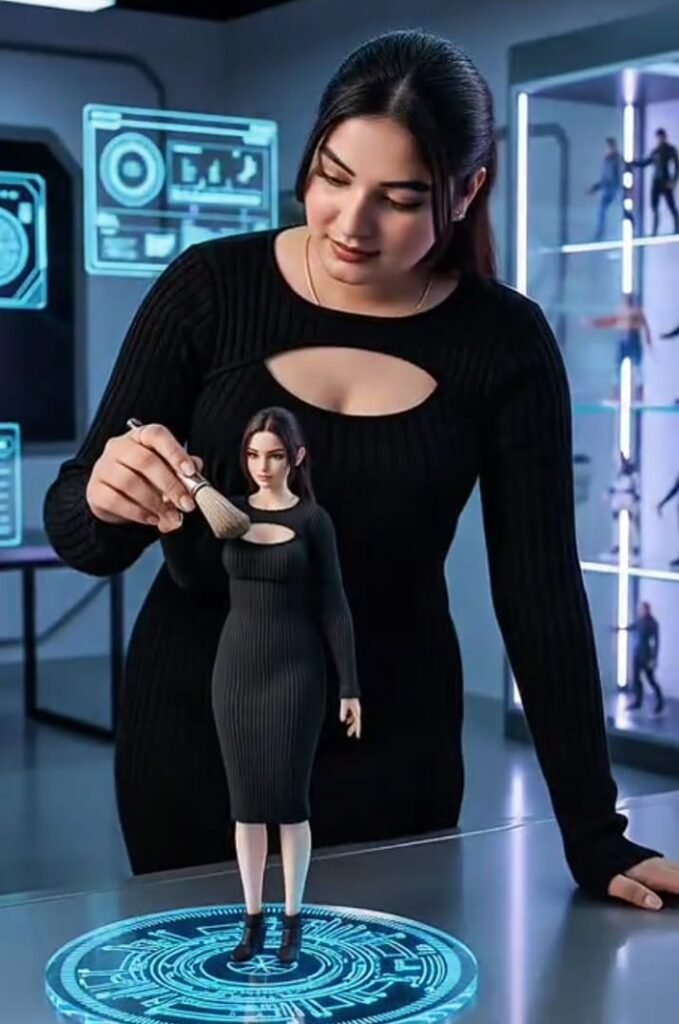
Nano Banana is Google’s latest image generation and editing model, officially named Gemini 2.5 Flash Image. It allows users to upload a photo or feed in a textual prompt, then transform or edit images with realistic effects while preserving subject consistency (e.g., same person or pet across edits).
What makes it stand out: advanced prompts, blending images & text, background swaps, realistic 3D figurines, and much more.
- Why It’s Going Viral: Key Features & Trends
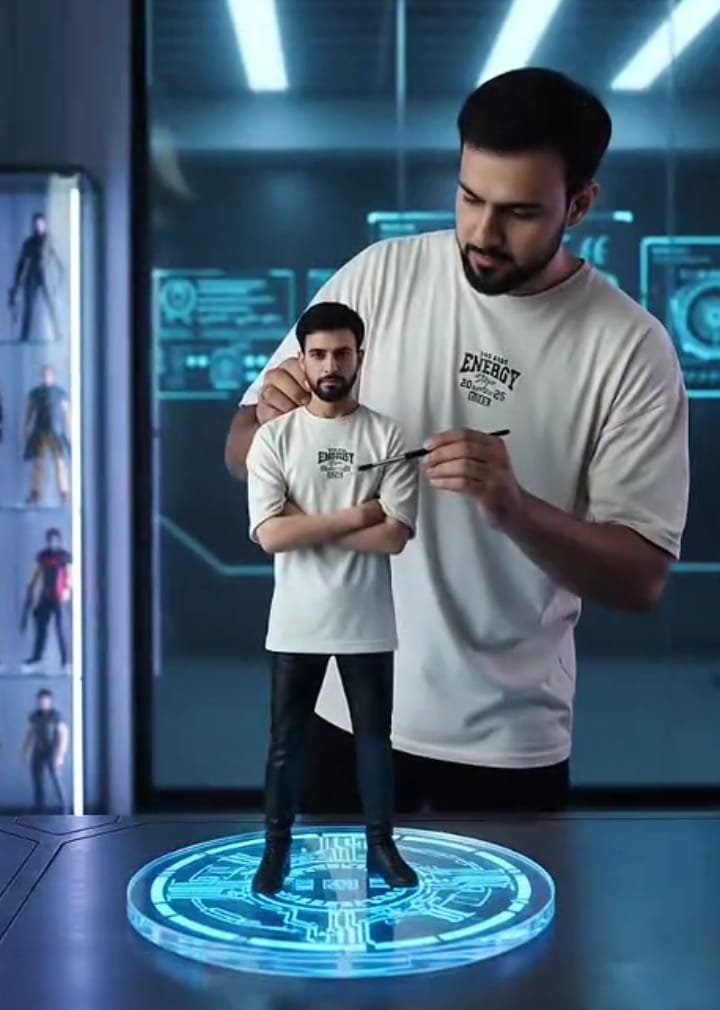
3D Figurine Trend: Users are turning selfies and pet photos into toy-like 3D figurines with stylized packaging. These posts get traction because they’re highly shareable.
Subject Consistency: Edits maintain identity (face, pet, object) across multiple edits. No weird distortions, usually.
Prompt-Driven Creativity: Very detailed prompts yield amazing results. People are using prompts like “1/7 scale collectible”, “on an acrylic base”, etc.
Free-Tier Access: Free usage with daily limits, which encourages trial and sharing. Then many upgrade to paid versions.
- Free vs. Pro vs. Ultra: Daily Image Limits & Plans
Plan Type Approx Daily Limit / Usage Key Benefits Who Should Use It
Free / Basic Access ~ 100 images / edits per day (for free users) with Google Gemini. No cost, reliable quality, great for social media posts, experiments, hobbyists. Curiosity, casual users, influencers doing occasional edits.
Pro / Google AI Pro or Gemini Advanced Up to 1,000 images / edits per day, faster rendering, priority access, early feature updates. Better performance, useful when you need many edits per day. Content creators, small businesses, social media managers.
Ultra or Enterprise / API Unlimited or very high quotas via Gemini API / enterprise channels (depending on agreement). Best image resolution, speed, possibly fewer restrictions. Agencies, app developers, large-scale creators.
Note: Google sometimes changes the “official” daily limits, and the support / documentation pages occasionally show different phrasing (e.g. “basic access”, “highest access”) instead of fixed numbers.
- How to Use Nano Banana: Step-by-Step Tutorial
Here’s how you can start using Nano Banana and get viral-worthy results:
- Open Gemini (App or Web) or Google AI Studio / Gemini Studio
Make sure you’re signed in with your Google account. - Select the Nano Banana / Gemini 2.5 Flash Image model
Look for “Flash Image”, “Nano Banana” name, etc. This gives access to the newer editing and prompt features. - Upload a clear high-resolution image
Full body or subject, good lighting, simple background works best for edits. - Write detailed prompt
Specify style: “3D figurine collectible style”, “toy packaging”, “glossy finish”.
Mention environment/background: studio lighting, acrylic base, scene, backdrop.
Define mood: lighting, color tones, texture detail.
Maintain identity: “same face / same pet across edits”, “same outfit style”.
- Apply edits / generate
Use image-to-image if available, multiple turns of edits (e.g. background, then costume, then lighting). Save versions. - Save and share
Once satisfied, download (note any watermark or SynthID status) and share on platforms like Instagram, X, TikTok — those viral figurine trends travel fast. - Upgrade plan if needed
If you hit the daily limit often, upgrade to Pro or use API access. Also, watch for quality differences or priority access in busy periods.
- Top Viral Prompts & Best Practices
Here are prompts & tips that people are using right now to get viral results:
“Turn this selfie into a 1/7 scale collectible figurine, realistic style, on an acrylic base, studio lighting, with toy packaging.”
“Make my pet look like a toy figurine in display box with spotlight lighting.”
“Change background to sunset beach, wear retro 90s outfit, grainy film texture.”
“Insert me into a classic painting like Mona Lisa or Starry Night as a figurine.”
Best Practices:
Be specific: vague prompts lead to generic or less impressive outputs.
Use reference details: lighting, background, materials.
Try multi-turn edits: do one change at a time; verify before moving on.
Keep track of versioning: save intermediate results.
Respect subjects: avoid copyrighted or sensitive content.
- Limitations, Ethics & Watermarking
While Nano Banana is impressive, there are things to keep in mind:
Watermarks & SynthID: Generated images often include visible watermark and invisible SynthID marks that identify content as AI-generated.
Quality-consistency tradeoffs: After several edits, minor distortions or artifacts may appear. Fine detail (e.g., hair strands, complex textures) can degrade.
Policy & usage limits: Free users hit quotas; commercial use might require permissions or paid plans. Google may change limits.
Ethics / Deepfake risk: Since the tool maintains “you” in edits, there are concerns around misuse of likeness, deepfake content. Always be mindful.
- Is Nano Banana Worth It?
If you are:
A content creator / social media influencer wanting eye-catching visual content,
Someone who enjoys creative editing and trying trends,
A small business needing product photos, fashion, or style transformations,
Then yes — Nano Banana gives excellent value even in free tiers. Pro / Ultra are useful when you need more throughput, better priority, or commercial use.
If you only need occasional edits, the free plan is often enough. But for serious frequent use, investing in a paid plan pays off.
- Frequently Asked Questions (FAQs)
Question Short Answer
What’s the current free daily limit? Approximately 100 image generations/edits per day for free users. But these numbers may shift.
How many images can Pro / Ultra users create daily? Around 1,000 for Pro / paid users.
Can I use Nano Banana commercially? Possibly yes, but check Google’s terms. Watermarks/SynthID must be disclosed. Quality & licensing may differ.
Is it better than Midjourney or Photoshop? It depends on purpose: Nano Banana is faster, more accessible on mobile/web, strong in prompt-driven edits. But tools like Photoshop still excel in manual control or advanced masking.
How to avoid distorted results after multiple edits? Use detailed prompts, careful incremental editing, maintain consistent lighting and background references. Save intermediate versions.
SEO Keywords to Include
Make sure to include these keywords (naturally, not overstuffed) throughout your blog to help with ranking:
Nano Banana
Gemini 2.5 Flash Image
Gemini Nano Banana daily limit
Free image edits per day (Nano Banana)
Pro vs Free Nano Banana
Nano Banana prompts
Viral 3D figurine trend
How to use Nano Banana
AI image editing tools 2025